Have you ever wondered why there is a Tab key on your keyboard? It may seem like just a small button, but in reality, it can become your faithful assistant in everyday work. The Tab key is not just a means to create indents in text documents. It has many other applications that can significantly boost your productivity. Today, we will explore how to use the tab on the keyboard for maximum effect.
What is the Tab key?
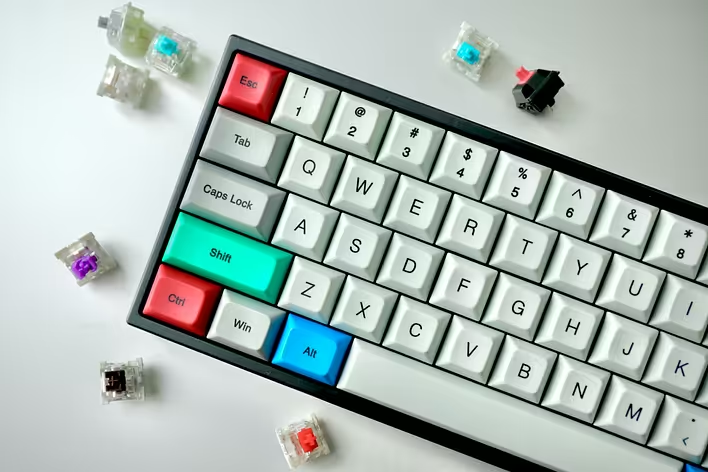
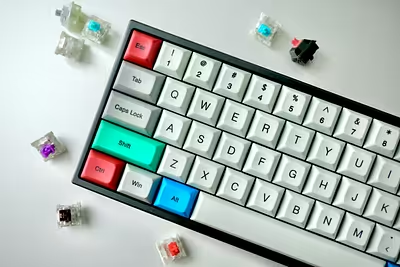
The Tab key (from the English “tabulator”) is located on the left side of your keyboard, usually above the Caps Lock. Its main purpose is to create indents in text editors, but that is just the tip of the iceberg. It can help you quickly switch between fields in forms, organize lists, and even ease navigation in web browsers.
Using the Tab key in text editors
In text editors like Microsoft Word or Google Docs, the tab key helps create neat indents at the beginning of paragraphs. This is especially useful when formatting documents or writing code.
-
Creating indents: Pressing the tab on the keyboard adds a standard indent at the beginning of the line. This makes your text more readable.
-
Organizing lists: Use the tab to create multi-level lists. Press tab to increase the indentation level of an item and Shift + Tab to decrease it.
The Tab key in web browsers
When filling out forms online, the tab key becomes your best friend. It allows you to quickly move between fields without the need to use the mouse.
- Switching between fields: Pressing tab moves the cursor to the next form field. This saves time and makes the filling process smoother.
- Navigation through pages: You can use Shift + Tab to return to the previous field or element.
Benefits of using the Tab key
Using the tab key can significantly ease your work and increase efficiency:
- Speed: Instead of searching for the required field with the mouse, you can quickly switch between them using Tab.
- Convenience: Especially useful when working with large forms or tables.
- Accuracy: Fewer mouse movements mean fewer opportunities for mistakes.
Practical tips for using the Tab key
To use the tab effectively, it’s not just about pressing the button, but understanding its capabilities:
- Learn hotkeys: Many programs support combinations using Tab for additional functions.
- Customize for yourself: Some programs allow you to change the behavior of the tab key to suit your needs.
- Experiment: Don’t be afraid to try new things! Discover new ways to use this versatile button.
So, the tab key is a small secret to great efficiency. It can greatly simplify your work with text and forms, saving time and effort. Try applying these tips today and see for yourself how much easier your digital life can become!