
This content has been automatically translated from Ukrainian.
If you have ever registered on a social network, email, online store, or any online service, you have probably encountered the word account. At the same time, you can often see another spelling variant online — “аккаунт”. Because of this, many people wonder which form is correct.
The short answer is: the normative spelling in the Ukrainian language is “акаунт” — with one letter “к”.
The word comes from the English account. Despite the fact that in English it is spelled with two letters c, when borrowed into the Ukrainian language, the doubling of consonants is not preserved in most cases. That is why it is correct to write акаунт, while the form “аккаунт” appeared under the influence of the Russian language and the literal reproduction of the English spelling.
What is an account
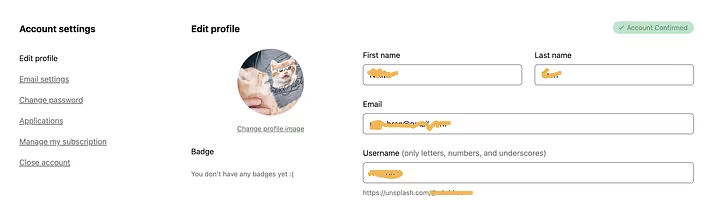
Account, or profile, is a set of data about a user that is stored in a specific service, application, or website and allows the user to utilize its features.
In simpler terms, an account is your personal “card” in the system. It is thanks to it that the service knows who you are, remembers your settings, action history, purchases, messages, and other information.
Accounts are used almost everywhere: in social networks, messengers, email, online banking, online stores, streaming services, video games, government electronic services, and many other digital platforms.
Many services can be used without registration; however, to access personal features, save data, and interact with other users, it is usually necessary to create your own account.
What an account consists of
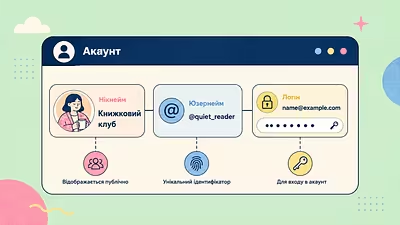
The basis of any account is login and password. The login helps the system find your profile, while the password confirms that you are indeed its owner.
In addition, an account may contain a name or nickname, email address, phone number, profile picture, personal settings, login history, contact list, purchase information, documents, or other data — it all depends on the purpose of the specific service.
That is why after logging in, you see your own messages, photos, orders, or files, and not the information of other users.
How an account differs from a profile
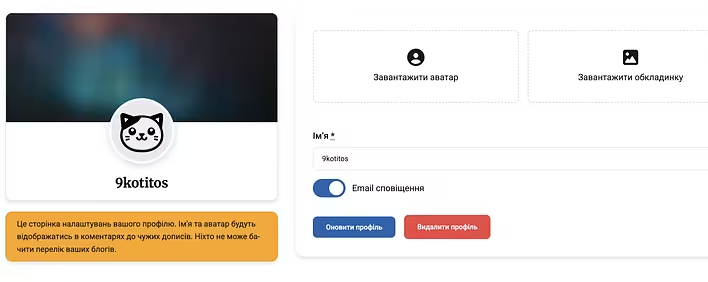
The words “account” and “profile” are often used as synonyms, but there is a difference between them.
Account is the entire profile that allows you to use the service. It includes login data, settings, action history, personal information, and other service-related information.
Profile is just a part of the account that contains information about the user. Usually, this includes a name, photo, short description, friend list, or other information that you or other users can see.
For example, in a social network, you log into your account, and then inside you view your own profile or the profiles of other people.
Thus, every profile is part of an account, but not every account necessarily has a public profile.
Why an account is needed
The main purpose of an account is to give the user access to the personal features of the service.
For example, after logging into your account, you can chat in messengers, post updates on social networks, make purchases in online stores, view order history, listen to your own playlists in music services, or continue playing a game from where you left off.
Without an account, most of this data will not be saved, and some features may be unavailable.
How to create an account
Creating an account usually takes only a few minutes. Although different services may have their own specifics, the sequence of actions is almost always the same.
First, you need to click the “Register” or “Create Account” button. Then enter the necessary data, such as an email address or phone number, come up with a strong password, and, if necessary, confirm registration via an email or SMS.
After that, the account will be created, and you will be able to use all the features of the service.
How to log into your account
After registration, to log in, you need to enter the login and password you used when creating the account.
As a login, an email address, phone number, or username is most often used.
If the entered data is correct, the system will authenticate and grant access to your account. In some services, after this, you may also need to confirm the login with a one-time code — this is called two-factor authentication.
What to do if you forgot your password
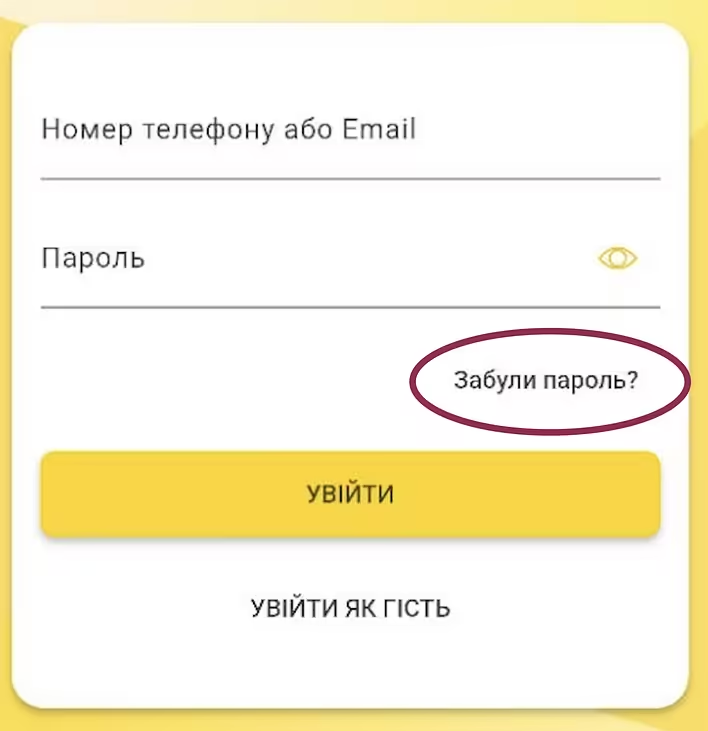
If you do not remember your password, there is no need to create a new account.
On the login page, there is almost always a link “Forgot Password?” or “Reset Password”. By clicking it, you will be able to verify your identity using your email, phone number, or another method you specified during registration.
After successful verification, the service will offer you to create a new password, and access to the account will be restored.
How to protect your account
Today, accounts can contain personal photos, documents, banking data, correspondence, and other important information. That is why their protection is extremely important.
To reduce the risk of account hacking, it is advisable to use a unique complex password, enable two-factor authentication, and not share your login credentials with third parties.
It is also not recommended to enter your login and password on suspicious websites or click on dubious links, even if they resemble pages of well-known services.
Frequently asked questions
Can you have multiple accounts?
Yes. Most services allow you to create multiple accounts if it does not violate their rules. For example, a person may have separate personal and work accounts or use different accounts for different projects.
Can you delete an account?
In most services, yes. Usually, this can be done in the account settings or by contacting customer support.
It is worth remembering that after deleting an account, photos, messages, documents, purchase history, and other data may be lost if they are not saved in advance.
What does “log into an account” mean?
This means to authenticate, that is, to enter your login and password (and if necessary, confirm the login with an additional code) to gain access to your account.
Can you change the email address in your account?
In many services, yes. If the email address is used as a login, it can often be changed in the account settings after verifying your identity. However, some services do not allow this or impose certain restrictions.
Is it mandatory to create an account?
Not always. Some websites can be used without registration, for example, to read news or browse a product catalog. However, to save data, place orders, publish content, or use personal features, it is usually necessary to create an account.
Is it safe to log into an account via Google or Apple?
Yes, if you use the official login method provided by the service itself. Such authentication allows you to quickly create an account or log into it without separate registration, and also eliminates the need to remember another password.