

This content has been automatically translated from Ukrainian.
What is a utility
Utility is a helper program that performs a specific technical or service task. Its main purpose is to assist the operating system and the user in maintaining, configuring, diagnosing, or optimizing the operation of a computer, smartphone, or other digital device.
Unlike programs used for everyday tasks such as browsers, text editors, messengers, or games, utilities are not designed for creating documents, browsing websites, or entertainment. They typically perform one or several specialized functions that help maintain stable, secure, and efficient system operation.
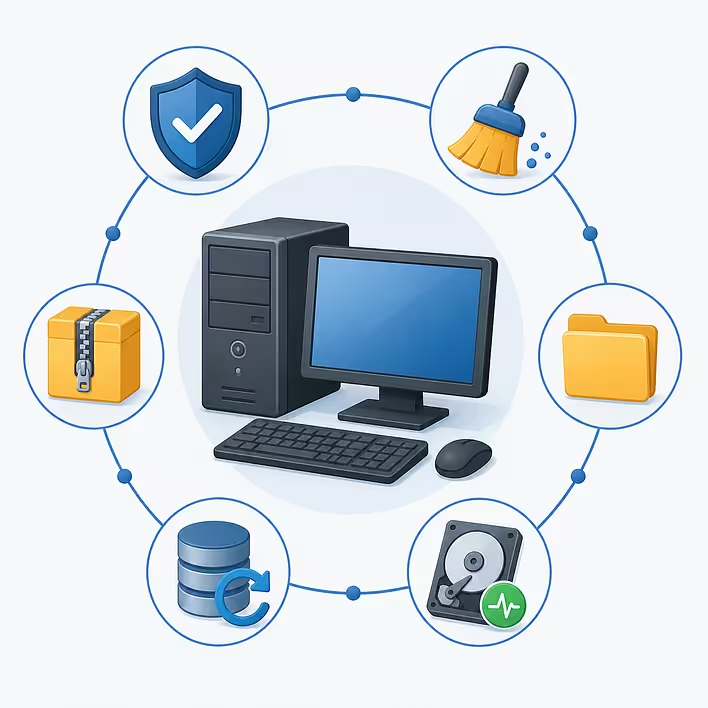
Utilities include programs for checking a computer for viruses, cleaning the disk of temporary files, archiving data, backing up, recovering deleted files, diagnosing hardware, managing disks, and performing many other service operations.
For example, if a computer is running out of free space, a disk cleaning utility can help find and delete unnecessary files, freeing up memory. If documents need to be packed into a ZIP archive or an already received archive needs to be unpacked, a special utility called an archiver is also used for this purpose.
Some utilities are already included in modern operating systems, so users apply them almost daily without even thinking about it. Others are installed separately and offer additional capabilities or are designed to perform narrowly specialized tasks.
Main features of utilities
- designed for maintaining, configuring, or diagnosing the system;
- usually perform one or several narrowly specialized tasks;
- can be built into the operating system or installed separately;
- work with files, disks, memory, networks, and other system components;
- help maintain stable, secure, and efficient operation of the device.
Origin of the word "utility"
The word "utility" comes from the English utility, which means "usefulness", "useful thing", "practical benefit", or "auxiliary means". In the field of information technology, the phrase utility program is used to refer to a program that performs service functions and helps maintain the operation of the operating system or individual components of a computer.
The English utility, in turn, comes from the Latin word utilitas, which translates as "benefit", "advantage", or "practical value". It is from this word that terms in many languages have been formed to denote useful auxiliary tools or means.
The name "utility" accurately reflects the purpose of such programs. They do not add new capabilities to the computer, such as creating documents, browsing web pages, or editing photos, but help maintain the system in proper condition, ensure its stable operation, and simplify the execution of technical tasks.
In the Ukrainian language, the term "utility" has long been established in the field of information technology. It is used in technical documentation, educational literature, instructions, and also in the professional environment of programmers, system administrators, and other IT specialists.
Types of utilities
Depending on their purpose, utilities can be conditionally divided into several main categories. Each of them performs its type of service tasks — from protecting the computer to managing files, backing up data, or diagnosing hardware.
Examples of popular utilities
There are thousands of utilities, each designed to perform specific technical tasks. Some protect the computer from malicious software, while others help work with archives, monitor hardware status, recover lost files, or manage storage devices.
Below are a few of the most well-known examples.
How a utility differs from a regular program
The words "utility" and "program" are often used as synonyms, but this is not entirely correct. In fact, a utility is a separate type of software that has its own purpose.
A regular program can refer to almost any software — from a browser or graphic editor to a video game. Such programs are designed to perform everyday user tasks: working with documents, browsing web pages, communicating, learning, or entertainment.
Utilities, on the other hand, are primarily designed for maintaining the operating system, managing files, protecting data, diagnosing hardware, and other technical operations.
Frequently Asked Questions (FAQ)
Is a utility a program or not?
Yes. A utility is a type of software. It belongs to programs but has a specific purpose — to perform service, technical, or auxiliary functions.
What are utilities used for?
Utilities help maintain the stable operation of a device. They can clean the system of unnecessary files, check the computer for viruses, archive data, create backups, recover deleted files, manage disks, diagnose hardware, and perform many other technical tasks.
Do all utilities need to be installed separately?
No. Many utilities are already included in the operating system. For example, Windows, macOS, Linux, Android, and iOS have their own built-in tools for managing files, cleaning memory, protecting the system, and backing up. If necessary, users can install third-party utilities with additional capabilities.
Is an antivirus a utility?
Yes. Antivirus programs are considered utilities, as their main task is to protect the operating system and user data from malicious software.
Is an archiver a utility?
Yes. Programs like 7-Zip, WinRAR, or PeaZip are utilities, as they perform a specific service task — creating and unpacking archives.
Are there utilities on smartphones?
Yes. Utilities are also used on smartphones. They include programs for cleaning memory, backing up, managing files, monitoring battery status, diagnosing the system, and other service applications. Some of these utilities are already built into the operating system.