This content has been automatically translated from Ukrainian.
When we buy a new smartphone or computer, some programs on it are already ready to work. Others need to be downloaded and installed manually. This process is often referred to as installation. But what actually happens after clicking the "Install" button and why can't every downloaded program be launched immediately?
To install means to set up software on a device and prepare it for use. Accordingly, installation is the process of setting up, and installer is a special program that manages it.
The word comes from the English install, meaning "to set up," "to mount," or "to place." In the computer field, the terms "to install" and "to set up" are usually used as synonyms. For example, the phrases "install a browser" and "set up a browser" mean the same action. The second option sounds more natural in everyday Ukrainian, while the first is more often heard in the IT environment.
Installation is not just copying a file
At first glance, everything seems very simple: the user clicks a button, waits a bit — and the icon of the new program appears on the screen. In reality, during this time, the system can perform a whole series of operations.
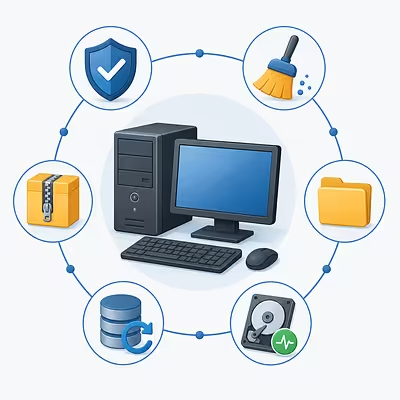
Program files are unpacked and copied to the appropriate folders. The operating system stores information about the installed software, creates shortcuts, applies initial settings, and determines which types of files the new program can open. Sometimes additional components are installed along with it, without which it will not function properly.
For example, a graphic editor may need libraries for image processing, a game — components for rendering graphics and sound, and a printer — a driver that helps the operating system interact with the device.
Thus, installation not only transfers the program to the computer but also adds it to the existing software environment.
How the installer works
To install many programs, an installer is used, which is also called a setup wizard. It contains the necessary files or downloads them from the internet, places them in the appropriate folders, and performs initial configuration.
During installation, the user may be prompted to:
- choose a folder for installation;
- agree to the license terms;
- specify the interface language;
- create a shortcut on the desktop;
- select necessary components;
- allow the program to make changes to the system.
Often, it is enough to click "Next" a few times, but it is not advisable to do so without reading the proposed terms. Some installers try to install additional software along with the main program, change the search engine, or add extensions to the browser. Therefore, it is advisable to check what exactly you are agreeing to before confirming.
Downloading and installing are not the same
The words "download" and "install" are often confused, although they refer to different stages.
Downloading is transferring a file from the internet to a device. For example, you found the necessary program on the official website and downloaded its installer. The file is already saved on the computer, but the program itself may not yet be ready for use.
Installation begins when you run the downloaded file and allow the system to install the program. After this process is completed, it usually appears in the list of installed software and can be used.
On smartphones, the difference between these stages is almost imperceptible. App stores like Google Play and the App Store automatically perform both operations: first, they download the necessary files, and then they install the application. The user sees only one button, although the system sequentially performs several actions.
Do all programs need to be installed?
Not every program requires traditional installation. There is so-called portable software that can be run without installation. Usually, it is enough to download an archive, unpack it, and open the corresponding file. Such a program can be stored on a flash drive and used on different computers.
Most web applications also do not need to be installed. Online editors, email services, cloud storage, and other tools work in the browser. Their interface may hardly differ from a regular program, but a significant part of the data is processed on remote servers.
Simply unpacking an archive is also not always installation. If it contains an installation file, it needs to be run. If the program is portable, it is already ready to work after unpacking.
Automatic and selective installation
During automatic installation, the system uses default settings, automatically determines folders, and installs the components specified by the developer. This is usually how mobile applications and most simple computer programs are added.
Selective installation gives the user more control. You can specify the storage location of files, choose necessary components, or decline additional offers. This option is convenient for experienced users but requires an understanding of the proposed parameters.
In large companies and educational institutions, centralized installation is also used. A system administrator can remotely install or update the necessary software on dozens or hundreds of computers at once.
Updates, reinstallation, and uninstallation
After installation, a program often requires updates. Through them, developers add new features, fix bugs, and eliminate vulnerabilities. Modern software often downloads and installs such updates automatically.
If a program starts to malfunction, it is sometimes reinstalled: it is removed and then installed again. This can help replace corrupted files and restore default settings. However, reinstallation does not solve all problems, as some data may remain on the device even after the program is deleted.
The reverse process to installation is called uninstallation. This is the proper removal of a program along with its associated components and system records. Therefore, it is not advisable to simply delete the folder with program files: after that, unnecessary shortcuts, settings, and other data may remain in the system. It is better to use the removal function in the device settings or the uninstaller provided by the developer.
Why it is important to download installers from reliable sources
An installer can gain permission to copy files and change system settings. That is why viruses, spyware, and other malicious software are sometimes distributed under the guise of useful programs.
The safest way to download programs is from the official websites of developers, app stores, and verified repositories. Before installation, it is worth paying attention to the file name, its origin, and the list of permissions. If a regular calculator asks for access to contacts, camera, microphone, and location, this should at least raise suspicion.
You should not ignore the warnings from the operating system. It does not necessarily mean that the file is harmful, but it may indicate that the system was unable to verify its origin or publisher.
Can you install doors or equipment?
The English install refers not only to computer programs. It can also mean the installation of equipment, appliances, lighting, or various structures. Under the influence of English, the word "install" is sometimes used in Ukrainian in the same way: for example, talking about the installation of a door system, air conditioner, or solar panels.
This formulation is understandable, especially in professional and technical contexts. However, in most everyday texts, it is more natural to say "install an air conditioner", "mount a door system", or "install equipment". The verb "to install" in Ukrainian is primarily associated with software.
At the same time, installation refers to a type of modern art — a spatial composition created from objects, images, light, sound, and other elements. This is a separate meaning of the word, unrelated to the installation of computer programs.
Thus, installing a program is not just downloading its file, but properly placing the necessary components, applying settings, and preparing the software to interact with the operating system. On modern smartphones and in app stores, most of this process is hidden from the user. However, behind the ordinary "Install" button lies a whole sequence of actions that allows the new program to become a full-fledged part of the device.