

This content has been automatically translated from Ukrainian.
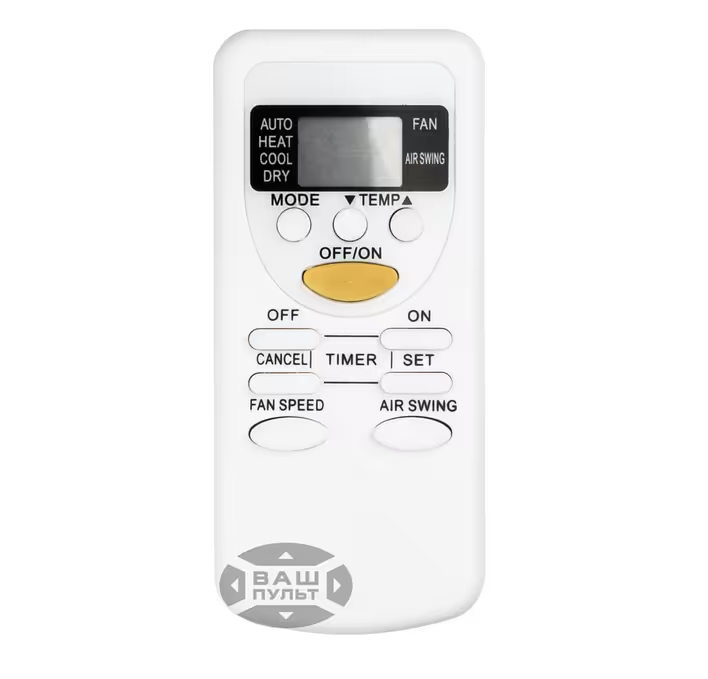
On the Panasonic remote, there are many buttons, but for daily comfort, four actions are enough: select the mode, set the temperature, adjust the fan speed, and direct the airflow. Other functions speed up cooling, reduce noise, purify the air, or schedule the equipment. The set of commands depends on the series, so similar remotes may operate differently.
How the remote communicates with the indoor unit
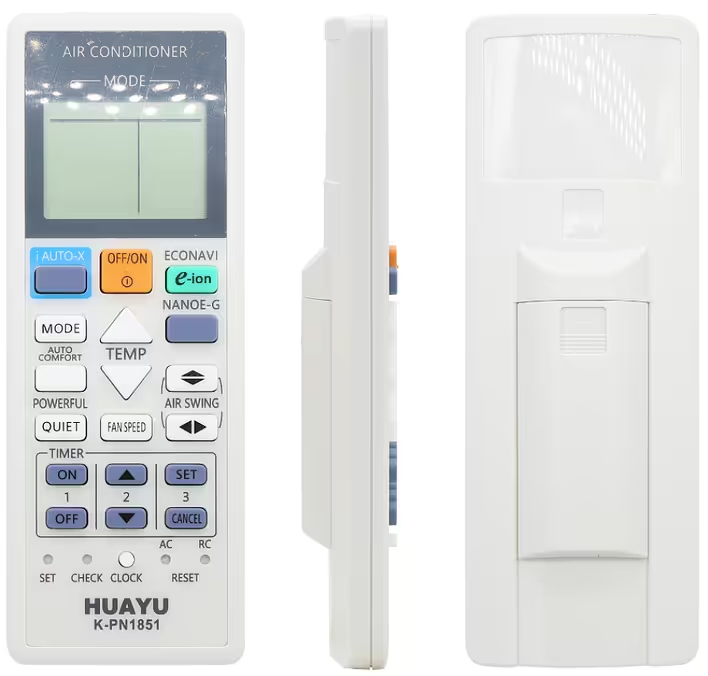
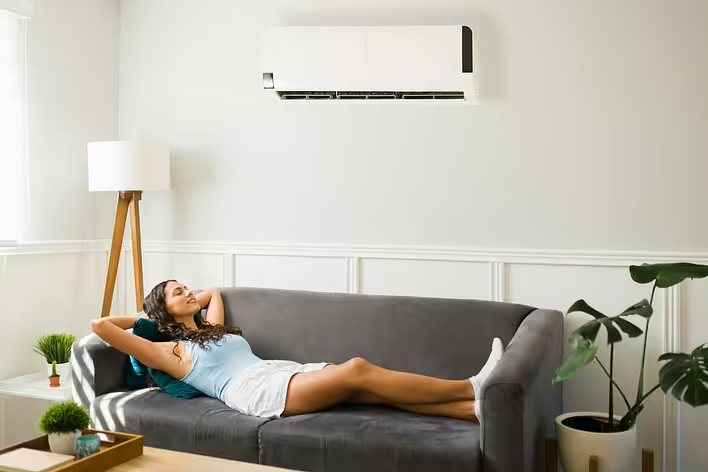
Most household models receive commands via an infrared channel. Aim the transmitter at the receiver of the indoor unit and do not block it with curtains or furniture. After pressing a button, the air conditioner usually confirms the command with a beep. The screen displays the mode, temperature, fan speed, louver position, and timer. If the symbol appears but the unit does not respond, the command may not have been received.
What to do if commands are not transmitted
Install two new batteries, following the polarity. Wipe the transmitter window with a dry cloth and aim the device directly at the unit. The infrared pulse can be checked with a smartphone camera: when pressing the button, the transmitter often appears as a flashing dot. If a new remote for the Panasonic air conditioner is needed, choose it based on the full model of the indoor unit and the marking of the old device. External similarity does not guarantee command compatibility.
When the screen works, the signal is visible through the camera, and the air conditioner does not respond, there may be a fault with the receiver. If the unit does not start even with the service button, check the power supply. The smell of burnt plastic, crackling, or repeated circuit breaker tripping requires inspection by a specialist.
What the symbols on the display indicate
A snowflake indicates cooling, a sun indicates heating, a drop indicates dehumidification, and a fan indicates air circulation. Auto indicates that the system automatically selects the operating algorithm. Individual icons inform about the activation of Quiet, Powerful, Nanoe, Econavi, or timer. Not all symbols pertain to your model. Panasonic uses similar remotes for different series, so the presence of a button does not necessarily confirm support for the function.
Modes Auto, Cool, Dry, Heat, and Fan
Cool cools the room to the set temperature. Setting 16 °C does not make the airflow several times colder: the system will simply run longer. It is better to choose a comfortable value and give the equipment time to evenly distribute the air. Dry reduces humidity and usually cools the room slightly. Fan turns on the fan without the compressor running. Heat is used for heating if it is provided in the design. Warm air may appear with a delay while the heat exchanger heats up. Auto is convenient in changing weather, but manual mode provides a more predictable result. For cooling, choose Cool.
How to set the temperature and fan speed
The Temp buttons change the target temperature, while Fan Speed changes the intensity of the airflow. High speed mixes the air faster, while low speed reduces noise. In Auto mode, the air conditioner automatically adjusts the revolutions. Do not direct a strong airflow at the bed or workspace. During cooling, it is more comfortable to direct the air along the ceiling: this way, it distributes more gently.
What Air Swing, Powerful, and Quiet are for
Air Swing changes the direction of the louvers. Automatic oscillation distributes the airflow throughout the room, while fixation keeps it in the selected area. Do not manually turn the louver if it is motor-controlled. Powerful temporarily increases performance to reach the set temperature faster. In some models, it turns off automatically. Quiet reduces the speed of the indoor fan and decreases noise, but the room may cool down more slowly.
How to set the on and off timer
How Nanoe, Econavi, and iAUTO-X work
Nanoe-X and Nanoe-G belong to Panasonic's air purification systems. Their capabilities vary depending on the series, and the presence of the function should be checked in the manual. It complements ventilation and cleaning but does not replace them. Econavi uses sensors and energy-saving algorithms to adjust the operation of the air conditioner based on the conditions in the room. iAUTO-X speeds up reaching a comfortable temperature. These modes are not available in every indoor unit.
Why some buttons do not work
The reason is often not a malfunction but the configuration. The model may not support horizontal movement of the louvers, Nanoe, Econavi, or a separate ventilation mode. Compare the markings of the indoor unit with the manual. Some commands are limited in Dry, Auto, or Heat modes. The air conditioner also pauses before restarting the compressor.