How to Save on Printing: 7 Simple Ways to Reduce Costs
Many people focus only on the price of the printer, but in reality, this is just part of the future costs. The main expenses over time go to cartridges, paper, maintenance, and repairs. That’s why a cheap device is not always a worthwhile purchase.If you pr...
Many people focus only on the price of the printer, but in reality, this is just part of the future costs. The main expenses over time go to cartridges, paper, maintenance, and repairs. That’s why a cheap device is not always a worthwhile purchase.
If you print regularly — at home, at work, or for study — it's worth thinking in advance about how to make printing more economical. You don't have to sacrifice comfort or quality for this. A few simple habits and the right choice of equipment are enough.
One of the most important decisions is choosing the printer itself. Many users automatically look for a new budget model, although often a tested corporate device turns out to be a better option. If you are comparing different options, we recommend checking out the material on how to buy a used printer, what to pay attention to before purchasing, and how to avoid the most common mistakes.
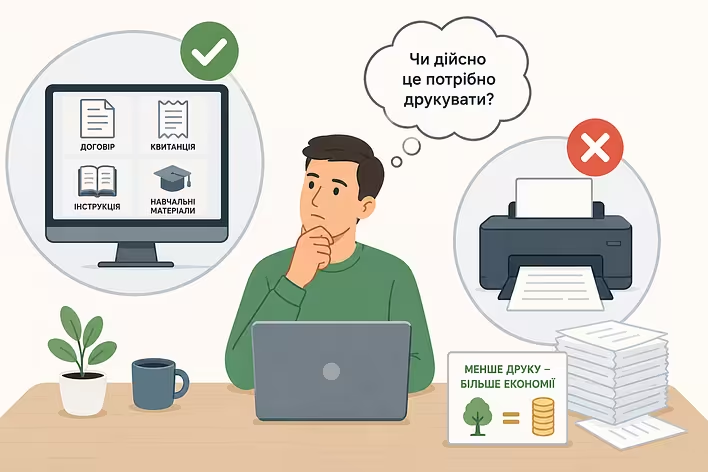
Don't print everything
Most documents today can be stored electronically. Instructions, receipts, contracts, or study materials often do not need to be transferred to paper at all.
Before you hit the "Print" button, it's worth asking yourself a simple question: will you need this page in paper form? This habit may seem trivial, but over a year it can significantly reduce expenses on paper and cartridges.
Не друкуйте все підряд
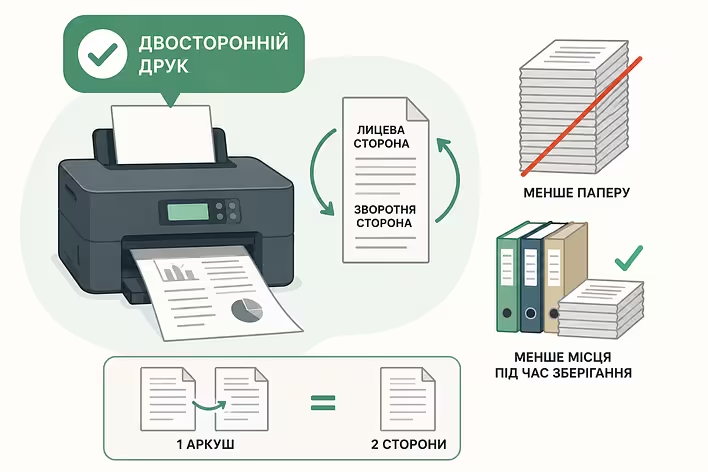
Enable double-sided printing
If your printer supports automatic double-sided printing, take advantage of this feature. If not, many models allow you to do it manually.
When printing large documents or study materials, this nearly halves paper expenses. Moreover, such documents take up less space during storage.
Увімкніть двосторонній друк
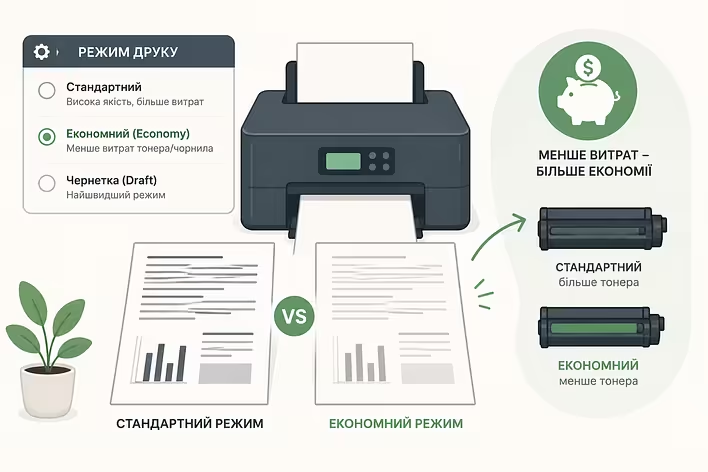
Use economy mode
For drafts, internal documents, or texts that do not require perfect quality, Economy or Draft mode is great.
In this mode, the printer uses less toner or ink, and the difference in quality for most text documents is practically imperceptible.
Використовуйте економний режим
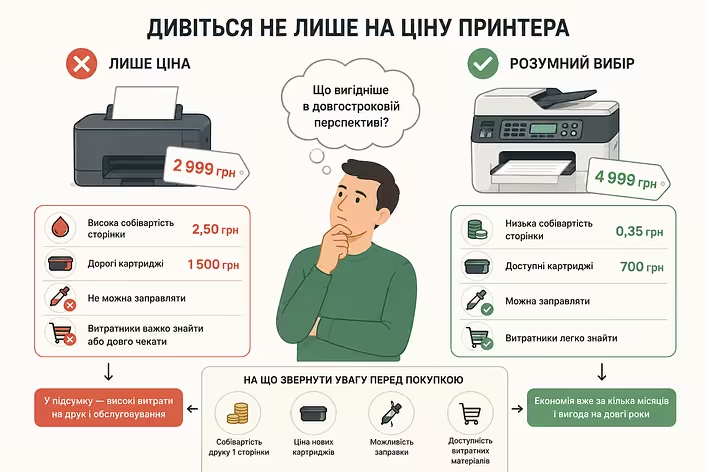
Look beyond the printer's price
One of the most common mistakes is choosing a device solely based on its cost.
Before purchasing, it's worth finding out:
what is the cost of printing one page;
how much new cartridges cost;
if they can be refilled;
how easy it is to find consumables.
Sometimes a model that costs a little more turns out to be significantly more economical after just a few months of use due to cheaper maintenance.
Дивіться не лише на ціну принтера
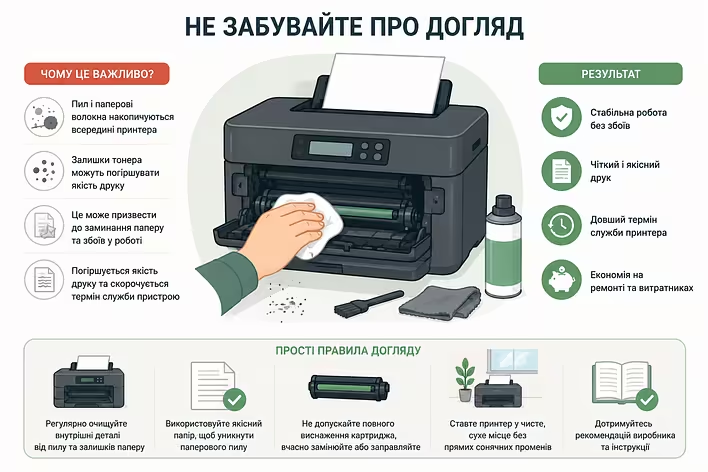
Don't forget about maintenance
Even the most reliable printer requires minimal maintenance. Dust, paper fibers, and toner residue gradually accumulate inside the casing, which over time can lead to paper jams or deterioration in print quality.
Periodic cleaning and careful use help avoid many malfunctions and extend the lifespan of the device.
догляд за принтером
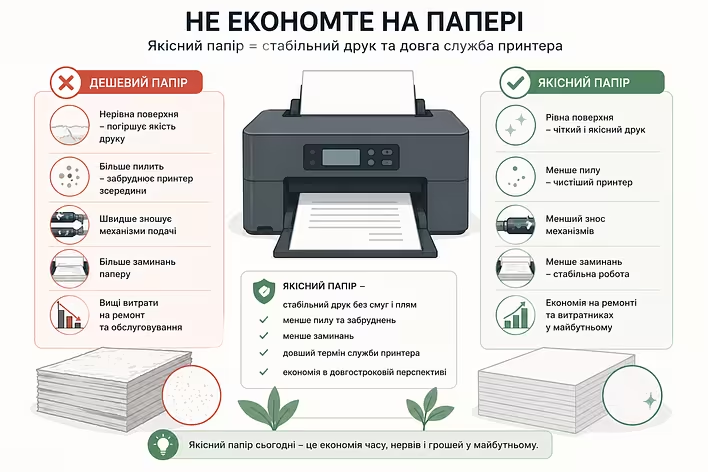
Don't skimp on paper
Too cheap paper often has an uneven surface, creates more dust, and can wear out feeding mechanisms faster.
Quality paper ensures more stable printing, reduces the number of jams, and helps keep the printer in good condition for longer. In the long run, such savings prove to be justified.
Не економте на папері
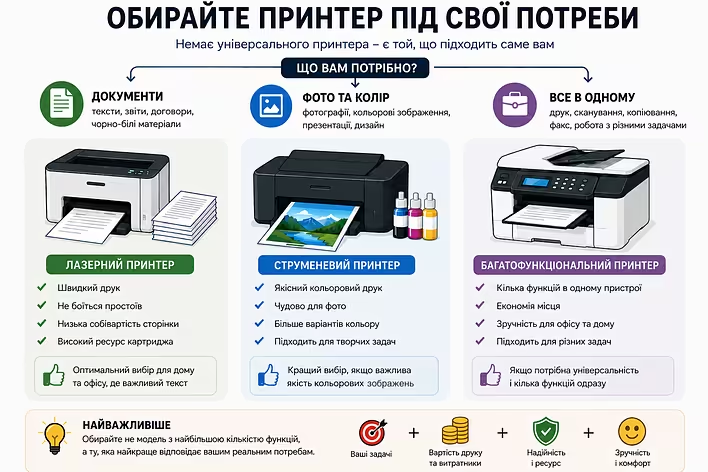
Choose a printer that fits your needs
There is no universal printer that suits everyone equally well.
For printing documents, laser models are often the optimal choice — they are fast, low-maintenance, and have a low cost per page. If the main task is to print photos or color images, it's better to pay attention to inkjet printers.
The most cost-effective solution is not the model with the most features, but the one that best meets your actual needs.
Обирайте принтер під свої потреби
You can save on printing without sacrificing quality. Just print the necessary documents, use double-sided and economy modes, choose quality paper, and remember to maintain your equipment.
However, the biggest impact on future expenses comes from the choice of printer. If you purchase a reliable model with affordable consumables and a large work resource right away, it will last longer and significantly reduce costs over many years.
When it comes to printing for home or office, the temptation to buy a new budget device is understandable. But practice shows otherwise: often buying a used printer with a clear...